Good things are coming.
A beautiful way to count down to what’s next and keep the moments that matter. A native app for iPhone and iPad, made by maker.design.
- Project
- Count
- Year
- 2026
- Made by
- maker.design
- Our role
- Product strategy, brand, design & development
Some dates deserve more than a calendar entry.
A trip you have been planning. A birthday you are looking forward to. The day you met someone important. A calendar tells you when these things happen, but there is more to them than a date.
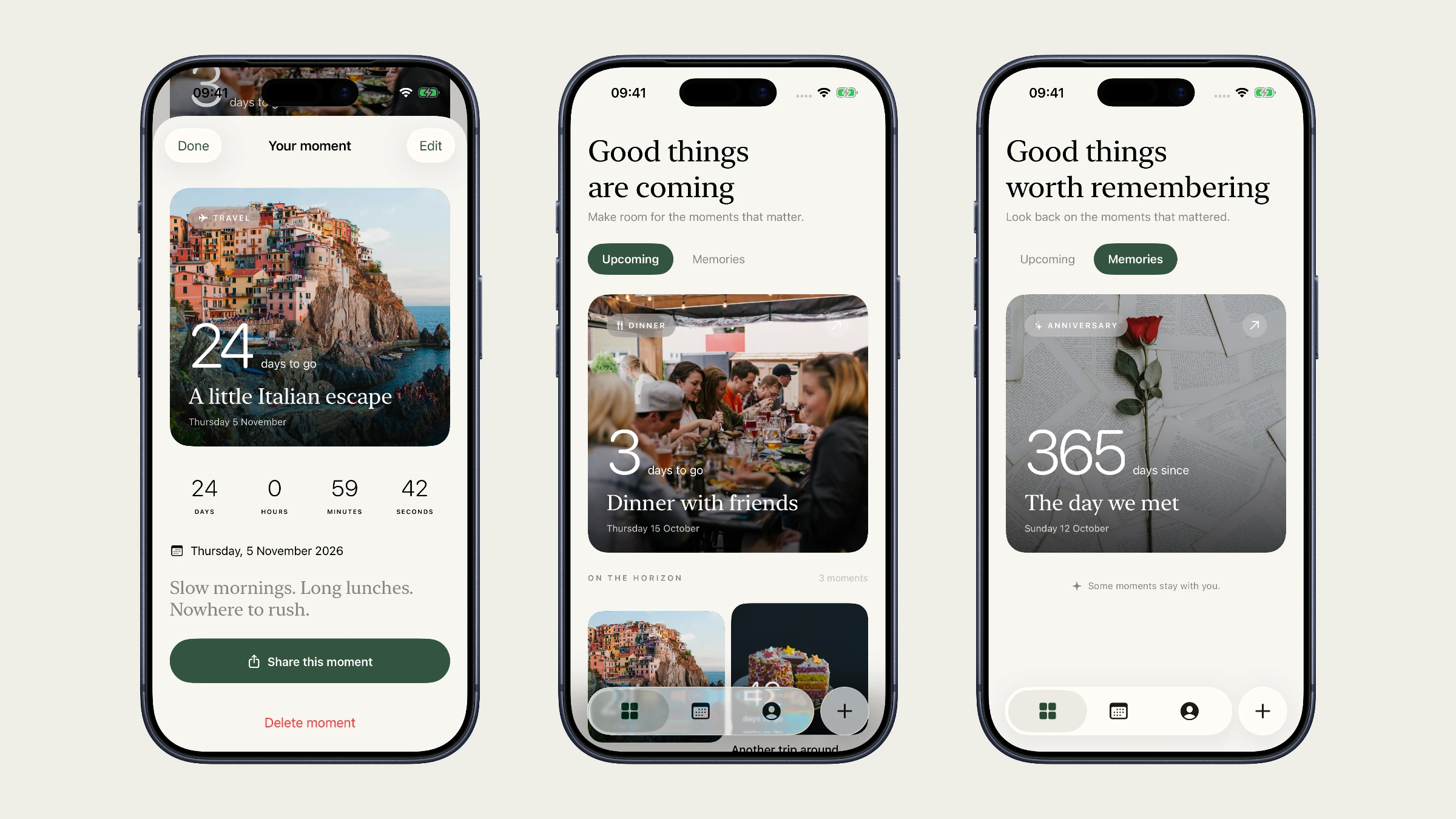
Count gives those moments a place of their own. The idea is simple: make the anticipation visible, and keep the memory close after the day has passed.
Looking forward. Looking back.
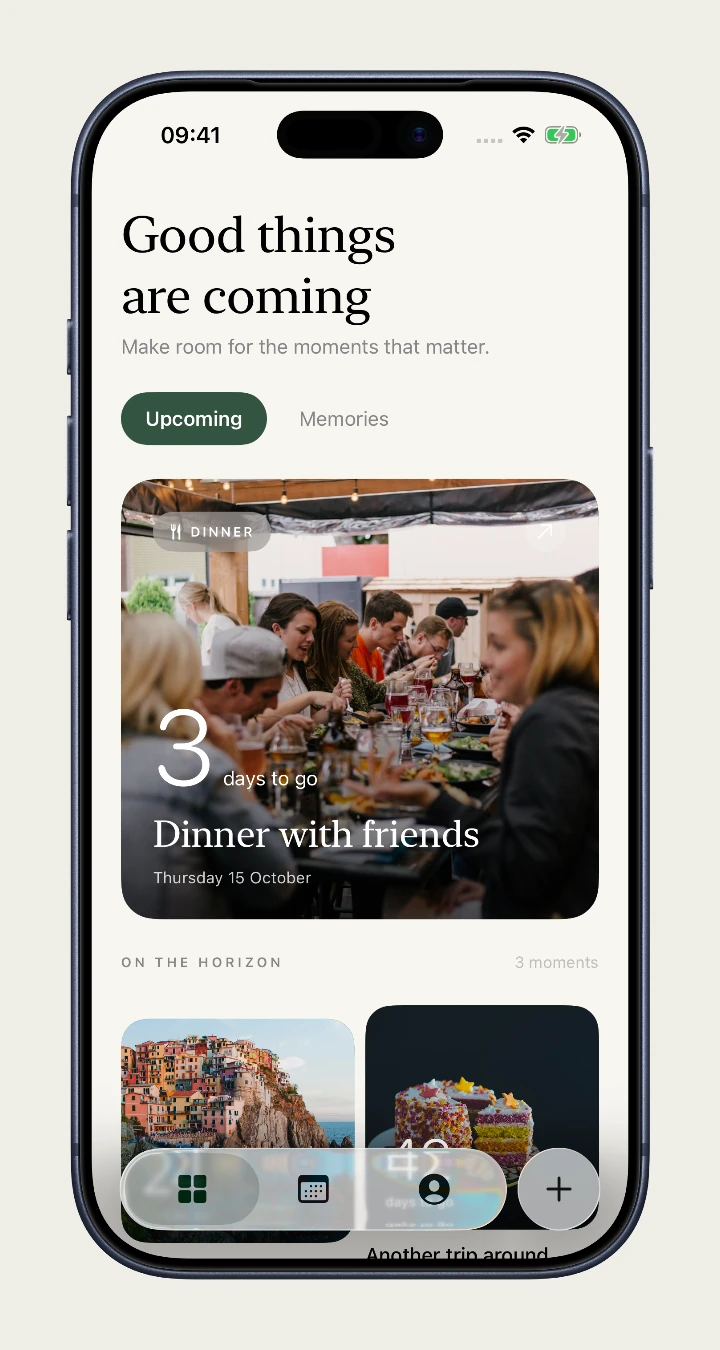
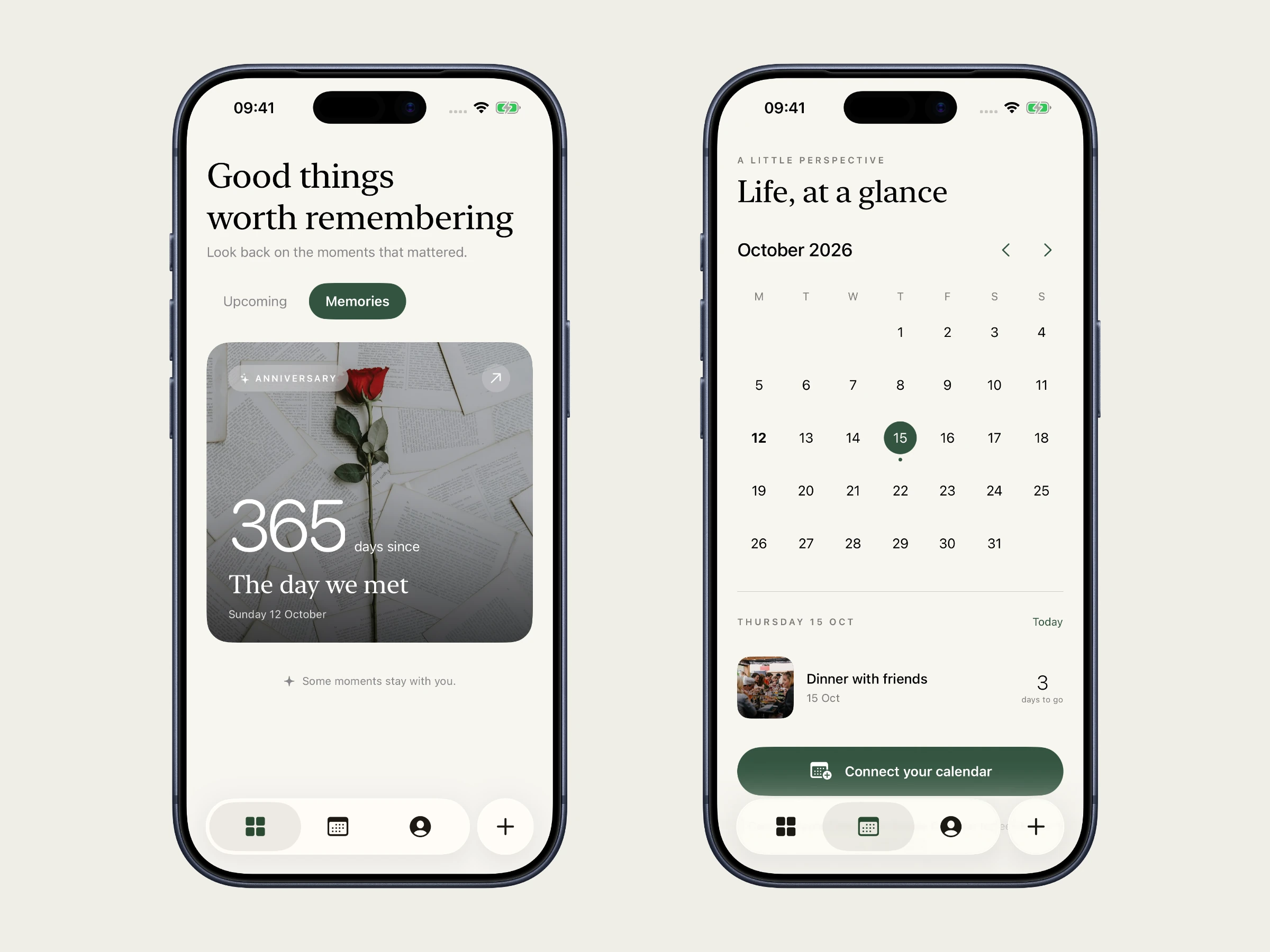
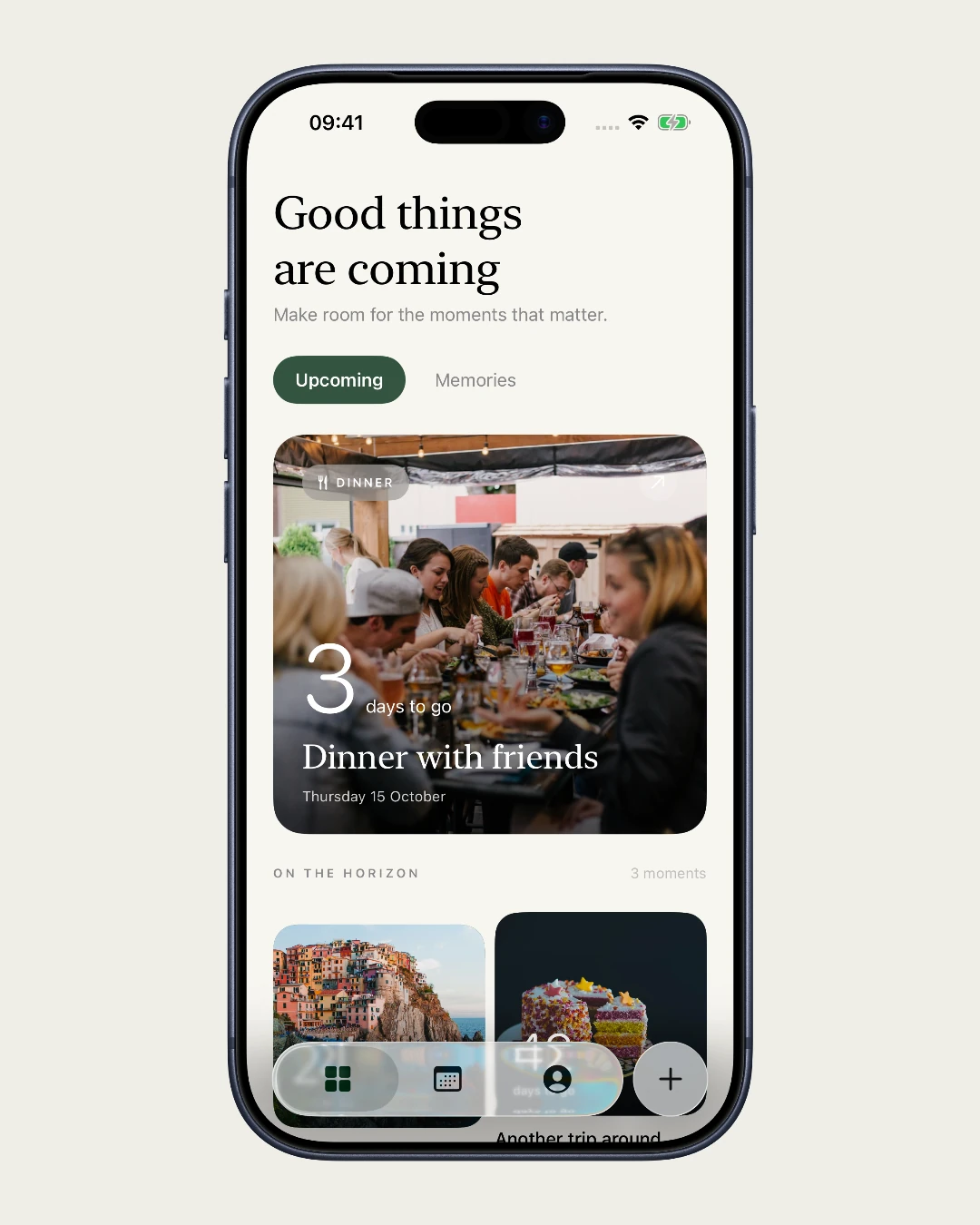
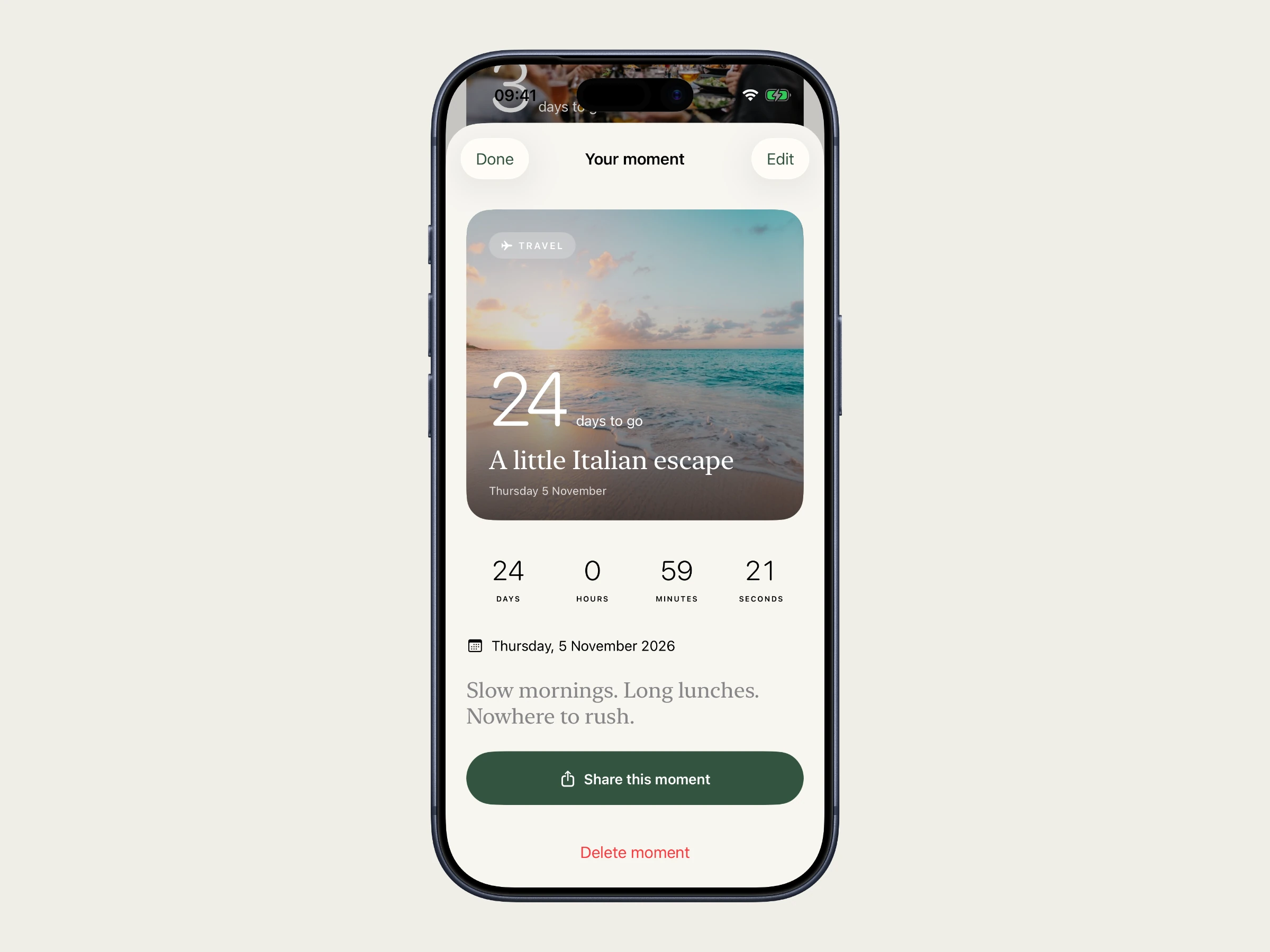
We built the experience around two views: Upcoming and Memories. Countdowns make the next good thing feel closer; count-ups give past moments a continuing place in the app. The nearest upcoming moment leads the library, with the others collected below it.
A month calendar brings saved moments back into the rhythm of everyday life. Optional Apple and Google Calendar connections let people choose existing events without changing their source calendars.
Make the moment yours.
A title and a date are enough to begin. A photo makes the moment recognisable. Count combines a curated photo library with personal photo selection, then carries the saved image through the card, detail view and sharing experience.
The film follows the actual app: browse upcoming moments, open a trip, choose a new photograph and save it, revisit a past date, check the calendar and explore widget setup. The result of each action stays on screen long enough to read.
Personal photographs. Quiet, familiar controls.
Warm ivory, forest green and editorial type give Count a calm frame. Photography supplies the colour and character. Large day counts make the essential information immediate, while the smaller details sit beneath them.
We carried that direction into a native SwiftUI app with system navigation, sheets and sharing. Home Screen and Lock Screen widgets extend a moment beyond the app. Maker’s work connects the product idea, visual identity, interface and implementation.
Made, shipped and on the App Store.
Count is available on the App Store for iPhone and iPad. The shipped product brings together countdowns, memories, photo cards, calendars and widgets.